

Managing your Manufacturer Users can be accessed from the sidebar navigation and updates can be made with Admin level permissions. Select Administration, then User Management.
Your User Management list allows you to view the other users for your company and manage their information all in one place. From this screen, you can edit individual users, send invites to those who are not on The Lighting Exchange®, and remove users who are no longer a part of your agency.
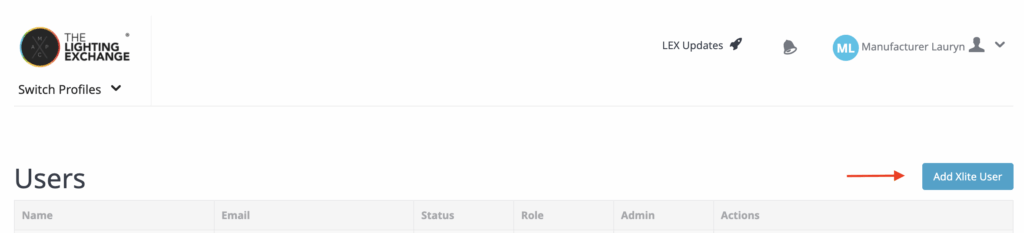
When you select the blue Add User button in the top right, this new page will open:
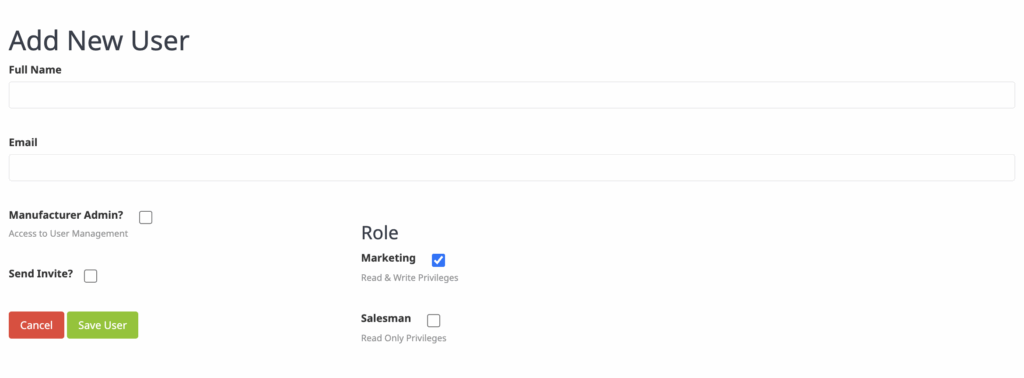
Enter the required information, then select if you’d like to grant them admin permissions, a specific role, and if you’d like to send them an invite. Lastly, hit save user and they will be added to your users and an invitation will be sent to their email to allow them to create their password. For any brand new user you will want to send them an invitation.
Please note: This is an admin-only feature and The Lighting Exchange® does not allow catch-all email address.